
Free
0%
Starter
6%
Pro
9%
Auction Management
Number of auctions
1
5 per year
Unlimited
Number of lots (per auction)
10
100
500
Bidder notifications
Email copy content

Bidding extensions
2 Minutes
2 Minutes
All lots auction ending
Cascade auction ending
Individual lots auction ending
Bidder wishlist
Competitive bid history
Auction Design
Auction templates
3
3
3
Turn off 'Powered by Indy'
Custom auction design
Custom auction sub-domain
Terms and conditions
Privacy policy
Analytics
Interactive dashboards and reports
Underbidder details
Payment Processing
Stripe
PayPal
Add buyer fees
Bidder Registration
Google and Facebook sign-on
Invitation only auctions
GDPR check for mailing list
Credit (bank) card validation
Manual bidder approval
Support
Help centre
Online chat
Dedicated auction advisor
On request
What our clients say.
"The software is really easy to use and I enjoyed the fact you can see live bidding. I’d definitely use Indy again, especially as there is no cost to us. Nobody seemed to mind paying the fees. I’d recommend Indy to others."

Laura HattersleyCEO, Cask Research
"Indy.auction is a brilliant platform for us. We are all about the personal service and we're able to upload our own branding. We are able to put our pink scene on it, and the artists keep feeding us lots of information and it is effortless to upload."

Sam JacobsCEO, Future Dreams
Run auctions for free.
Add a buyer’s fee to cover the platform costs and run your auction completely for free. No setup fees or monthly subscriptions required.
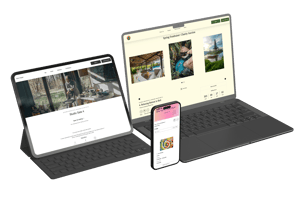
Flexible auction management services.
Indy.auction enables you to run your own auctions with ease whenever you choose. But we can also provide additional support when needed.

Try a demo auction.
Experience the bidder journey and customisation options with our free Pro-Plan demo auctions.

Luxury Watches
A luxury watch auction using the Standalone auction template.
VIEW THE AUCTION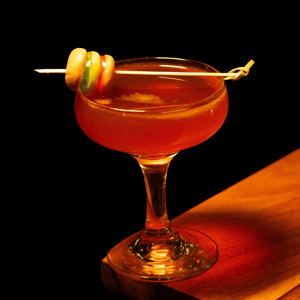
Single Lot
A single lot auction from a Michelin-starred restaurant.
VIEW THE AUCTION
Luxury Handbags
A luxury fashion auction using the Standalone template.
VIEW THE AUCTION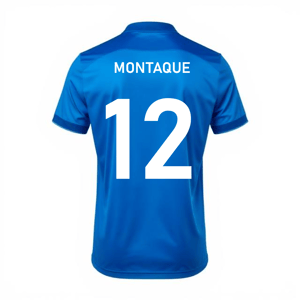
Football Shirts
An auction of match worn shirts for the club's CSR projects.
VIEW THE AUCTION
Foodie Fundraiser
A restaurant run auction of four foodie experiences.
VIEW THE AUCTION
Experiences
Unique experiences using the Standalone auction template.
VIEW THE AUCTION